


Let the offer lead. Let chat wait its turn.
Avatars, animations and a Live Chat tab can pull a homeowner’s eyes off the one thing you want them to do. Here’s how we’re setting up web chat for contractors who want the channel without the distraction.
Over the past few months we’ve had the same conversation with a lot of our clients. They launched web chat with every option turned on: a friendly face, a greeting that pops up on its own, a pulsing bubble, and a Live Chat tab running up the left edge of the screen. It looked great in the demo.
Then we looked at web chat conversion rates on some of our more prominent, avatar-based setups and noticed something interesting: fewer than 0.1% of total website visitors became leads through chat. That’s fewer than one chat lead for every 1,000 visitors.
That number divides chat leads by everyone who visited the site, including the many people who never opened the chat. It doesn’t tell us how well chat converts the people who use it, and it doesn’t show that avatars cost anyone a form fill. But it does raise a question: if chat generates relatively few leads directly, how much attention should it demand from every visitor?
A homeowner lands on your site with a goal. They want to figure out the next step on a project: new windows, a new roof, a bathroom that doesn’t look like 1994. They want to see the product, size up the offer, and decide whether your company is one they trust. Your goal lines up with theirs. You want them to fill out the form, book the free estimate, and take that next step.
Everything else on the page competes with that moment. A smiling face that slides in with a message is very good at winning that competition. That’s our concern. The offer and the form deserve the visitor’s attention first, and chat should support them, not compete with them.
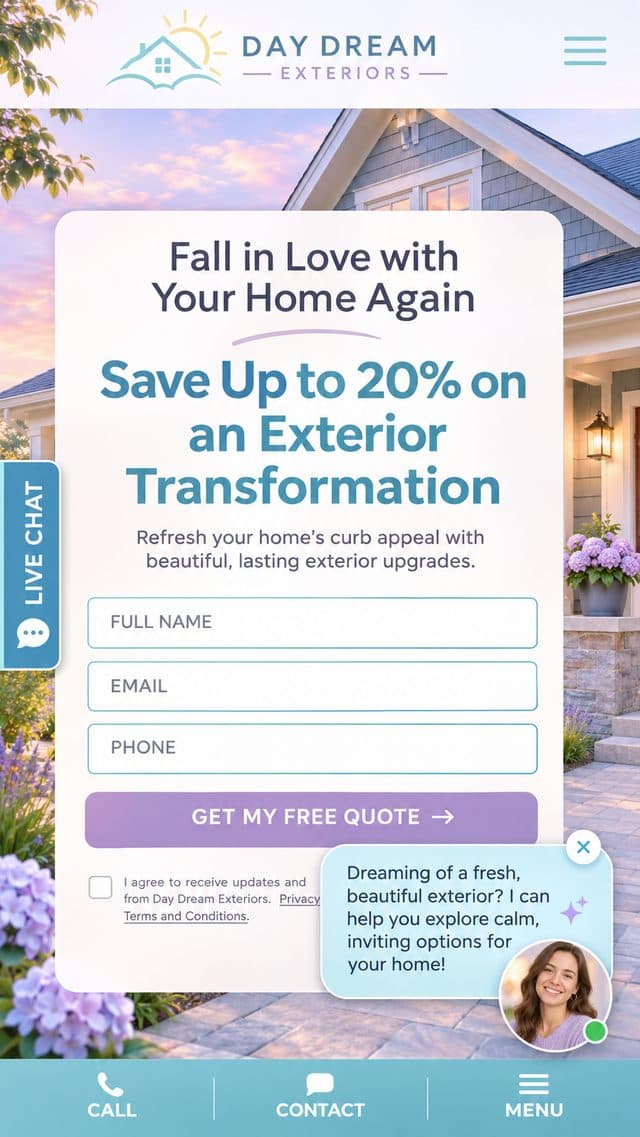
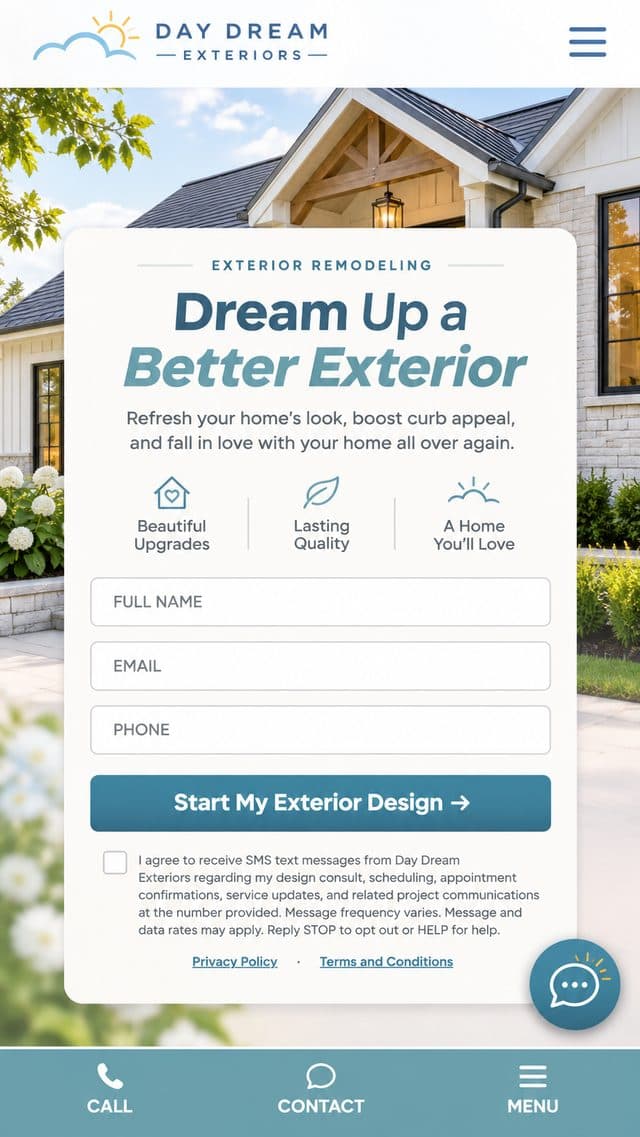
Example pages for illustration. Day Dream Exteriors and Phantom Windows are sample brands.
If chat generates fewer than one lead per 1,000 website visitors, should it really be the loudest element on the page?
Chat widget placement: where the full show gets in the way
Look at the loud version again, up close. Each piece is reasonable on its own. Stacked together on a phone screen, they crowd the form you paid to get people to.

01A face that talks first
Faces tend to draw the eye before anything else on a page. A face plus a message that appears on its own can pull the visitor’s attention away from your headline and offer before they’ve read them.
02It covers the form
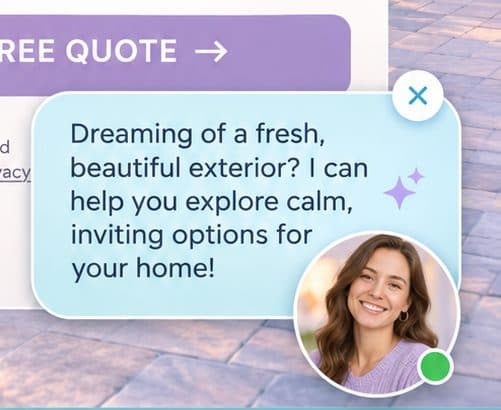
On a phone, the greeting bubble in this example lands right on top of the consent checkbox and the Privacy link. The visitor has to close the chat before they can finish the thing you actually want them to do.
03A second call to action
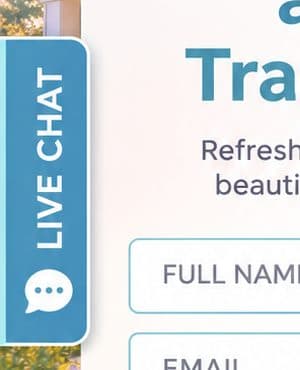
A bright Live Chat tab is a button. Put it beside the form and the page now asks two questions at once: start a quote, or start a chat? Two choices can slow people down.
The page has one job. Every element that moves, talks or glows is either helping with that job or competing with it.
None of this is a knock on chat. It’s a placement problem. Chat that interrupts competes with the offer. Chat that waits until the visitor wants it works alongside the offer.
Chat still earns its place
We’re not telling anyone to turn web chat off. Some homeowners have one question standing between them and the form: Do you service my town? Do you install in winter? Is the 20% off on top of financing? If nobody answers it, they may leave. Chat is another channel for reaching those people, and HeavySet’s AI web chat is built for home improvement companies to turn those conversations into leads:
- It runs on the same AI agent as your SMS follow-up, with the same persona and the same question flow, so a chat conversation and a text conversation sound like the same company.
- It doesn’t interrogate. If a visitor mentions their name, phone or zip in passing, the agent picks it up. If they ignore the ask a couple of times, it backs off instead of turning into a pushy form.
- Tap-to-answer buttons appear when a question has obvious answers, so a visitor on a phone can reply with one tap.
- Leads don’t fall through. Once a visitor shares enough, the chat creates a real lead with your normal CRM and webhook handling. If someone chats but walks away before sharing enough to create a lead, your team gets an email so a person can follow up.
- Visitors can pick up where they left off when they come back to the site later, instead of starting over.
So the question isn’t whether to offer chat. The question is how loudly to offer it.
Two quiet chat widget placements
Both of these keep chat available without stepping in front of the offer.
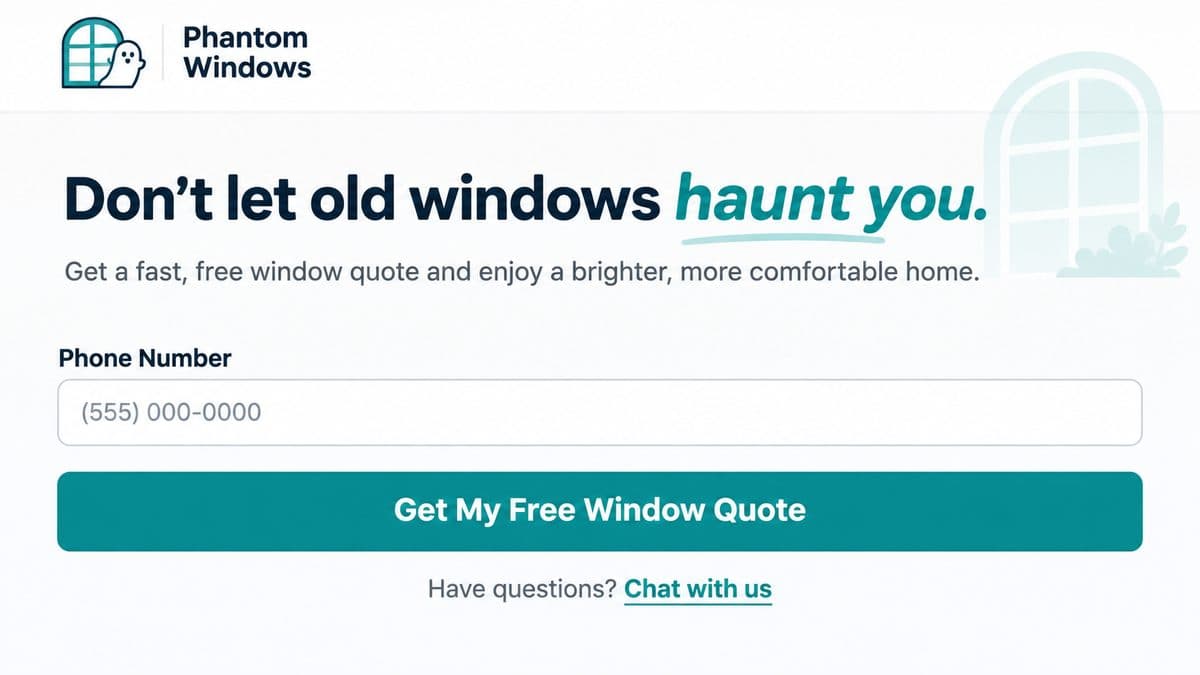

“Have questions? Chat with us.”
This line sits right where people hesitate. The visitor has read the offer, reached the button, and either taps it or stalls. If they stall, the answer to “but what about…” is right there in small, plain text.
Visually it’s a footnote to the button, not a rival to it. The button stays the obvious next step, and chat becomes the backup for people who need one more answer first.
On any page with HeavySet chat installed, any link or button can open it. Just add one attribute, no extra code:
<p>Have questions?
  <a href="#" data-heavyset-chat-open>Chat with us</a>
</p>
The chat window opens right next to the link the visitor tapped.
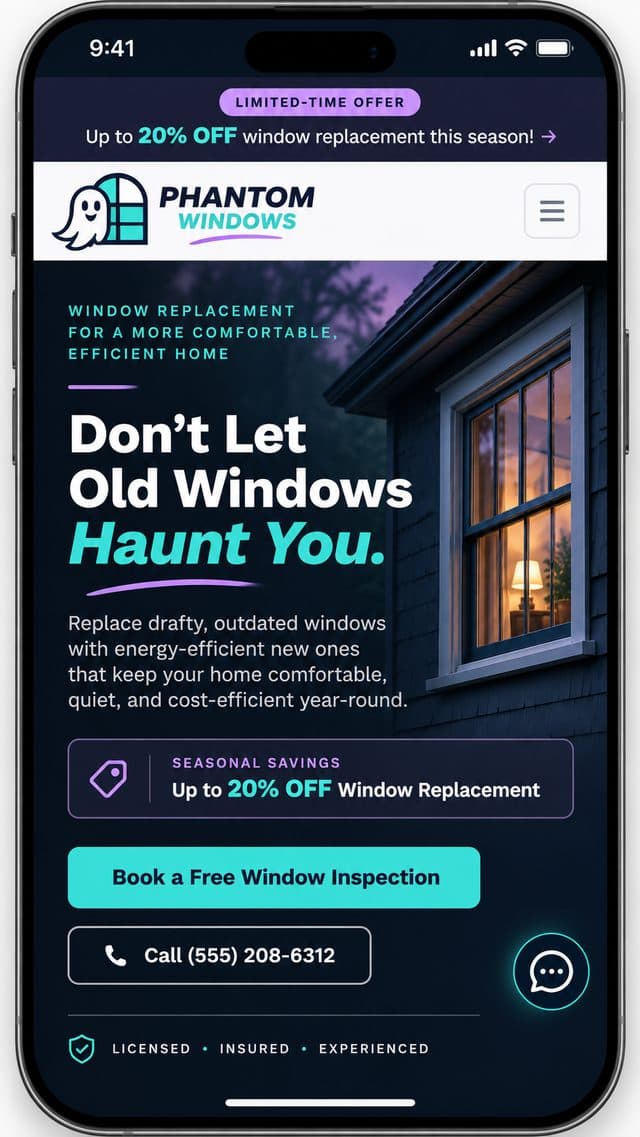
The icon everyone already knows
The speech-bubble icon in the bottom-right corner is a convention. Visitors know what it is and where to find it, so it doesn’t have to wave at them. No face, no popup, no motion. It’s there when someone goes looking for it.
On the Phantom Windows example, it’s a thin outlined bubble in the site’s accent color. It reads as part of the page, while the headline, the 20% offer and the Book a Free Window Inspection button do the selling.
Use the two together. The link catches people at the button, and the bubble catches people anywhere else on the page.
How HeavySet chat shows up
Timing matters as much as placement. HeavySet chat doesn’t load with the page and appear right away. The bubble appears as soon as there’s any action on the page, such as a scroll, a mouse move or a click into a form field. To the visitor it feels instant. If they just sit and read, it appears a few seconds after the page finishes loading.
Or you can wait until the visitor has scrolled. Hide Until Scrolled keeps the bubble hidden until they scroll a set distance down the page, for example half a screen or a full screen. That way the hero and the form get the first look on their own.
- Your page comes first. The chat waits for the visitor’s first action instead of loading with the page, so your headline, offer and form don’t have to share those first moments with it.
- It appears for people who are actually there. Showing up on the first real interaction means it arrives once someone is reading, not while the page is still loading.
- Returning visitors see it right away. Anyone with a conversation already in progress gets the bubble immediately so they can pick up where they left off.
Loud vs. quiet at a glance
| Full show | Quiet | |
|---|---|---|
| First thing the eye lands on | Often the avatar’s face and greeting | Your headline and offer |
| Who starts the chat | The widget, on a timer | The visitor, when they have a question |
| Covers the form on mobile | It can: in our example, the popup sits over the consent text and links | No: a small corner icon |
| Calls to action on screen | Two or three | One, with chat as backup |
| Motion | Pulse, glow, bounce, sliding popups | None |
| Good fit | Brands built around a personality, pages without a form | Landing pages where the form is the goal |
The quiet setup in HeavySet
Everything here is in your web chat settings in HeavySet. If you’d rather we set it up, your account team can do it for you.
- Avatar(s)Leave empty. With no avatar, the launcher shows a plain chat icon.
- Chat Bubble IconPick Classic, Overlapping Bubbles or Rounded Outline, then set the bubble and icon colors to match your site so it looks like part of the page.
- Greeting PopupOff. No message slides in on its own.
- Live Chat Side TabOff. The inline “Chat with us” link does this job without sitting beside the form.
- Chat Bubble BehaviorLeave Pulsing Glow and Single Small Bounce off so the icon stays still.
- Stay Above Page FooterOn, so the bubble never sits on top of a sticky Call / Contact / Menu bar.
- Hide Until ScrolledOptional. Set it to 50 and the bubble appears after the visitor scrolls half a screen, or 100 for a full screen.
- Inline linkAdd
data-heavyset-chat-opento a “Chat with us” link under your main button.
We still build the full show
Some brands are built around a personality, and a friendly face is the right call. HeavySet supports all of it: custom avatars with per-avatar view stats, greeting popups with follow-up greetings, a Live Chat side tab in your colors and size, pulse and bounce effects, and open styles where the chat window grows out of the avatar or the avatar turns into the close button.
Those options are there when they fit. Our advice is to start quiet on any page where the form is the goal and add more only if you have a reason to.
Try it on your own site
This is a recommendation from our experience, not a lab result, and the best proof is your own numbers. Switch one site or landing page to the quiet setup for a few weeks, keep the offer and traffic the same, and compare total leads from that page, forms and chat together, to the weeks before. For website lead conversion, total leads is the number that matters, not chat leads alone. If the full show was helping, you’ll see it. If it was getting in the way, you’ll see that too.